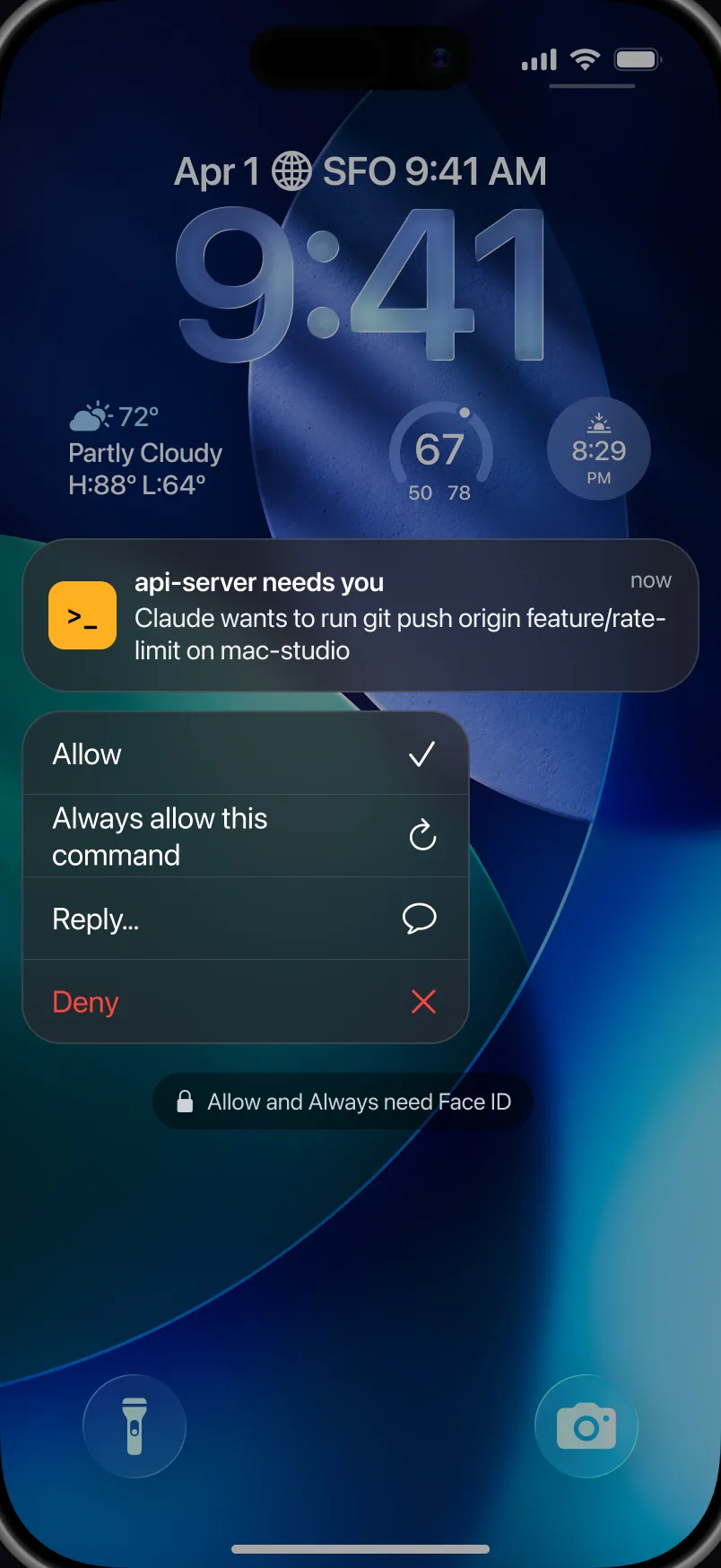
Approve your agent from the Lock Screen.
Claude Code and Codex ask before they act. Wrangle puts that question on your iPhone, so you can allow, deny or reply from anywhere.

Free to start · For your Mac · Open-source helper
How it works
Set up once. Then just tap Allow.
One command on your computer, one scan with your phone. No account to create.
curl -fsSL https://wrangle.stackframes.dev/install | shFor macOS. You can read the script before you run it.
- 01
Install the helper
Run the command in your terminal. It adds Wrangle to Claude Code and Codex and keeps running in the background.
- 02
Scan the code
The helper shows a QR code. Scan it with the Wrangle app and your phone is paired.
- 03
Tap Allow
When your agent needs a yes, your Lock Screen asks you. Allow, deny or reply, and it carries on.
In the app
Everything your agent needs from you.
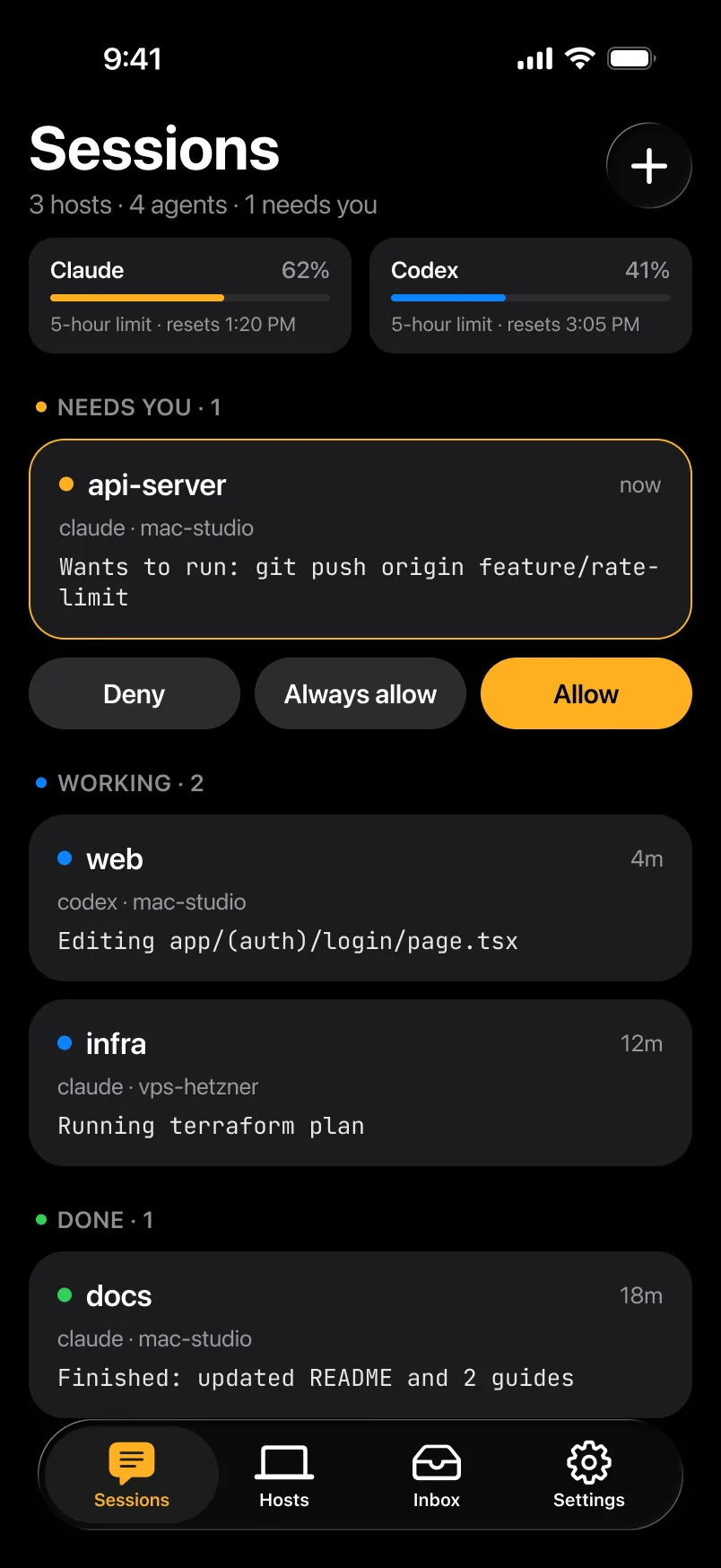
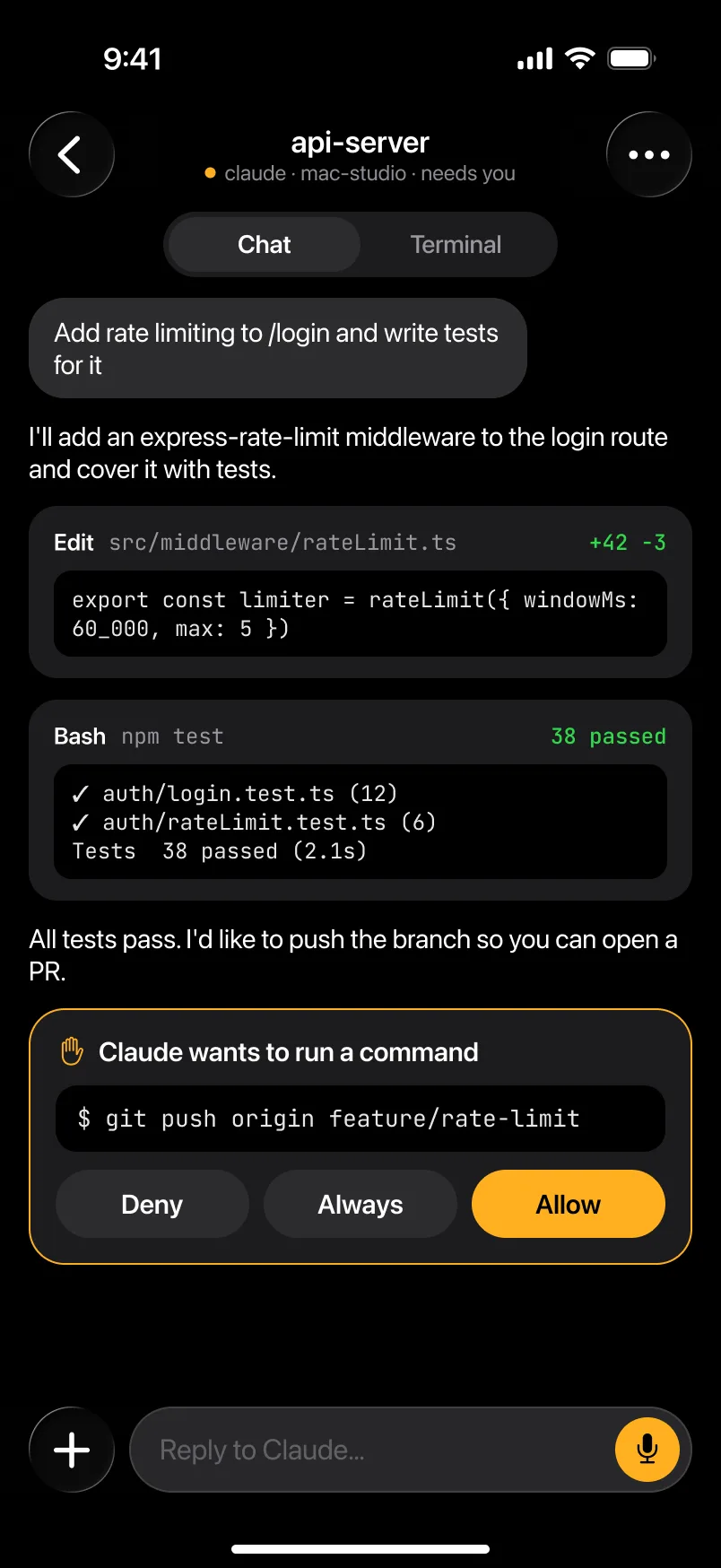
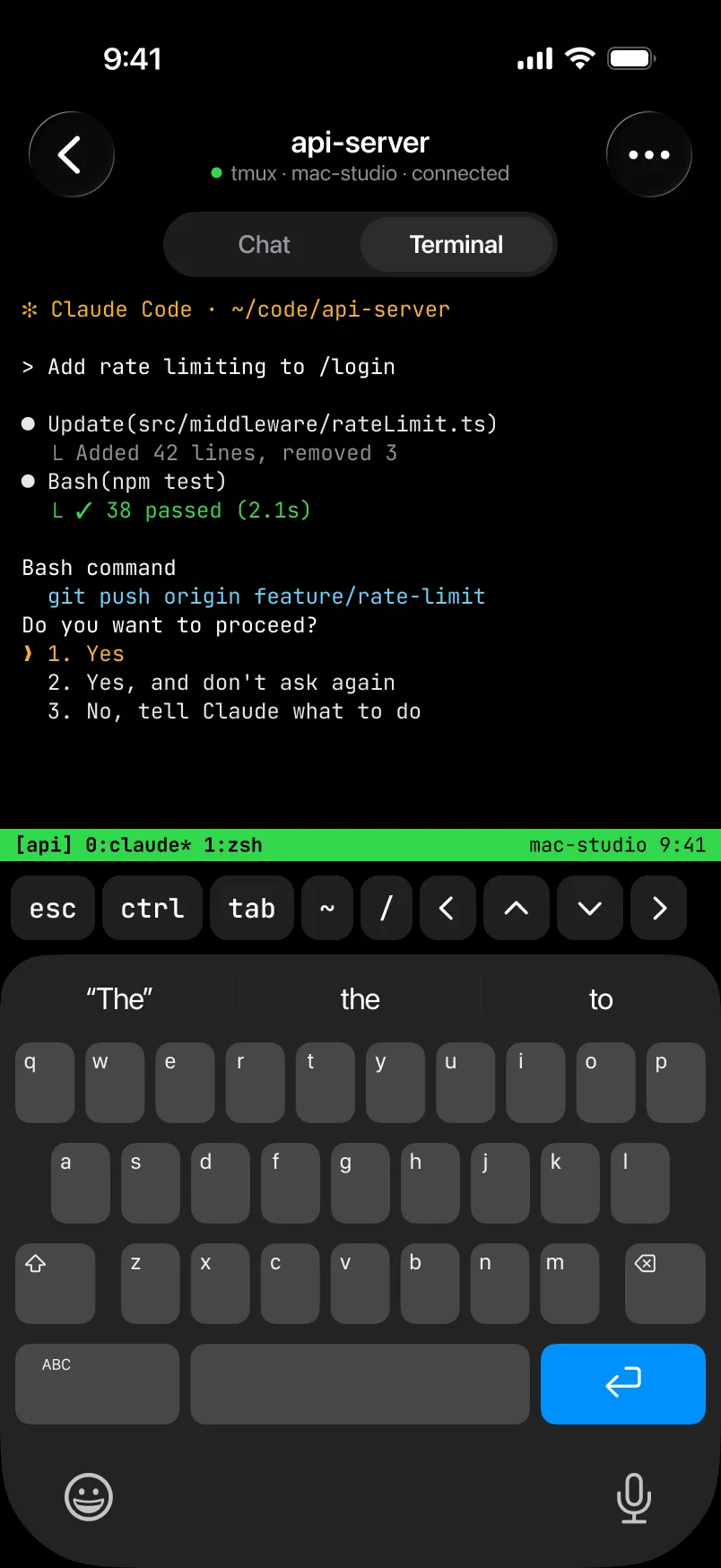
See every session at a glance, read along as it works, and open a real terminal when you want to take over.
Private by design
Your code stays between your phone and your computer.
Approvals are end-to-end encrypted, so our relay passes them along without being able to read them. The helper is open source, so you can check.
What our relay can read
Pricing
Free to start. Fair when you grow.
Free
$0forever
- 1 computer
- 10 Lock Screen alerts a month
- Chat view and terminal
After 10 alerts, events wait in the app and your agent asks in the terminal as usual.
Pro
$59.99a year
- Unlimited computers and alerts
- Voice, image paste and themes
- Sessions reconnect by themselves
7 days free, then $59.99 a year. Or $7.99 a month.
Lifetime
$149once
- Everything in Pro
- Pay once, keep it forever
For people who would rather not subscribe.
Questions
Good to know.
How is this different from Claude Code Remote Control?
Remote Control is for Claude Code only. Wrangle works with Claude Code and Codex in one app, and adds a real terminal over SSH.
Does my code pass through your servers?
Approvals and alerts are end-to-end encrypted, so the relay can’t read them. The terminal and chat connect straight to your computer.
What do I need?
An iPhone, and a Mac running Claude Code or Codex. The terminal and chat view also use tmux.
Does it work away from home?
Alerts and approvals work anywhere. The terminal and chat need the same Wi-Fi as your computer, or Tailscale.
What happens after 10 free alerts?
Nothing gets stuck. Events still show in the app, and your agent asks in the terminal as it normally would.
Is the helper open source?
Yes. It is MIT licensed on GitHub, so you can read exactly what runs on your computer.
Step away. Your agent keeps going.
Free on the App Store. Set up in two minutes.